
Billing
Billing belongs to an organization. Only an organization owner can change a subscription or open the billing portal. Other roles can view billing information.
yggy has three plans:
| Plan | How usage works |
|---|---|
| Free | Included extraction credits, 1 GB storage, and a daily MCP cap. Extraction uses the Fast tier. Limits are hard caps. |
| Pro | Per-user monthly plan. The workspace includes one pool of 1,000 extraction credits a month, however many members it has, and each member adds 5 GB of storage. Usage beyond the included pool is metered. Spend controls, SSO, API IP allowlist, and the audit log are included. |
| Enterprise | Contract pricing with a custom credit and storage commit. Contact sales; there is no public list price. |
Open Billing to see current prices and allowances. The Billing page is the source of truth for live catalog numbers.
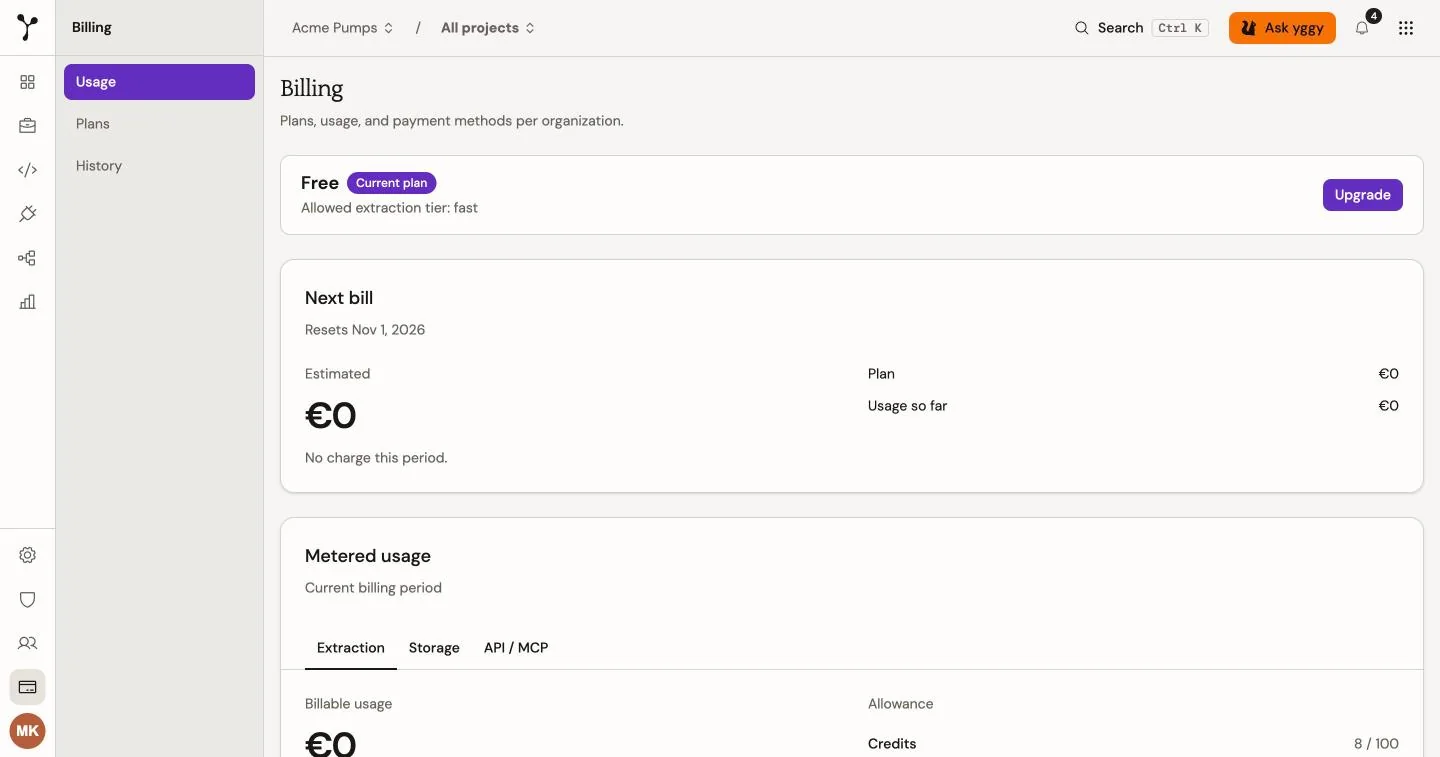
View usage
Section titled “View usage”The Billing page shows:
- the active plan and subscription status;
- the estimated next bill (plan seats plus usage so far, and a pace projection after one full day);
- extraction credits, storage, and query usage;
- the included allowance for each product; and
- recent subscription history.
Sample: a Pro organization with one seat has used 1,200 extraction credits by the middle of the month. Included is 1,000 credits for the workspace. Next bill shows €18 for the seat plus €6 usage so far (€0.03 × 200 credits). If that pace continues, projected usage is higher. Extraction Billable usage is that same €6.
Sample: a Free organization has used its 100 extraction credits this month. Upload is refused. Next bill is €0. The owner opens Billing, sees Spend controls locked, and selects Upgrade to Pro. Checkout adds a payment method. After Pro is active, they can continue past included usage or stop at a limit.
Pro owners set spend controls under the usage meters: continue and bill overage, or stop at included plus extra. Extra credits and extra storage appear only when stop is selected. Save applies the policy. Enterprise commit terms come from the contract.
Graph Intelligence rate limits
Section titled “Graph Intelligence rate limits”Each organization has a tokens-per-minute (TPM) budget for Graph Intelligence during extraction. That budget sets how many Graph Intelligence calls can run at once.
| Plan | TPM | Typical parallel Graph Intelligence calls |
|---|---|---|
| Free | 60,000 | 6 |
| Pro | 180,000 | 18 |
| Enterprise | 320,000 | 32 |
Example: a Pro organization extracts a large CSV. Graph Intelligence runs up to 18 overlapping calls for that job. Open Analytics to compare token usage with the TPM cap.
Sample: on 12 August at 15:00 UTC the organization used 2,100 tokens in that hour. The Pro cap is 180,000 tokens per minute. The Graph Intelligence cap vs usage line chart shows that hour’s used value below the TPM line.
Change billing details
Section titled “Change billing details”Organization owners can:
- Select Pro to start checkout, or Contact sales for Enterprise.
- Open the Stripe customer portal for an existing Pro subscription.
- Update the payment method or cancel the subscription in that portal.
The Billing page displays current Pro prices before you start checkout.