
Members & roles
Invite a member
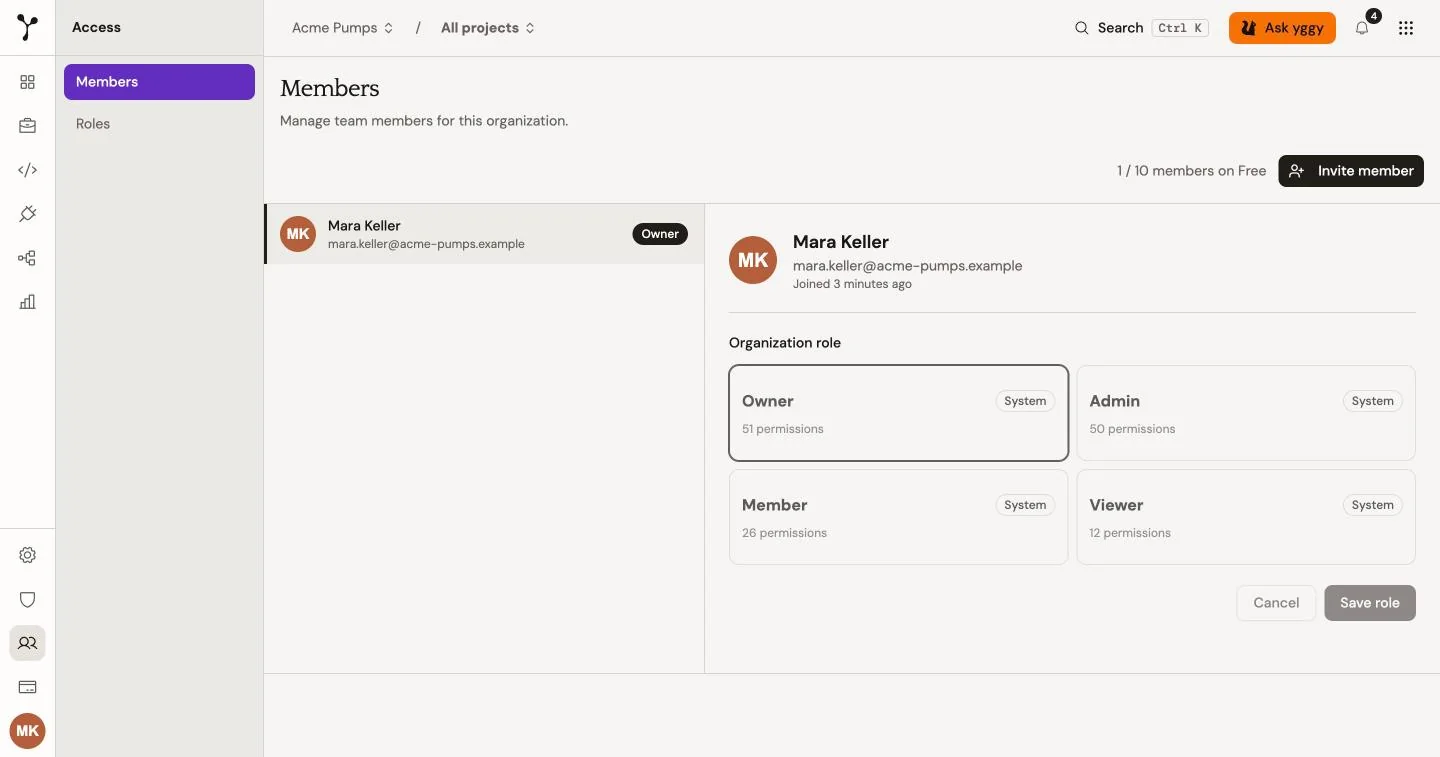
Section titled “Invite a member”Organization owners and admins can invite one person at a time:
- Open Access → Members.
- Select Invite member.
- Enter an email address and choose a role.
- Send the invitation.
Invitations expire after seven days. You can resend or revoke a pending invitation from the same page.
Organization roles
Section titled “Organization roles”| Role | Default access |
|---|---|
| Owner | Full organization access, including billing and deletion. |
| Admin | Full operational access and read-only billing access. |
| Member | Can create and update content, but cannot delete documents, graph data, or projects. |
| Viewer | Read-only access. |
Owners can assign the Owner role. Owners and admins can invite members, update other roles, and remove members.
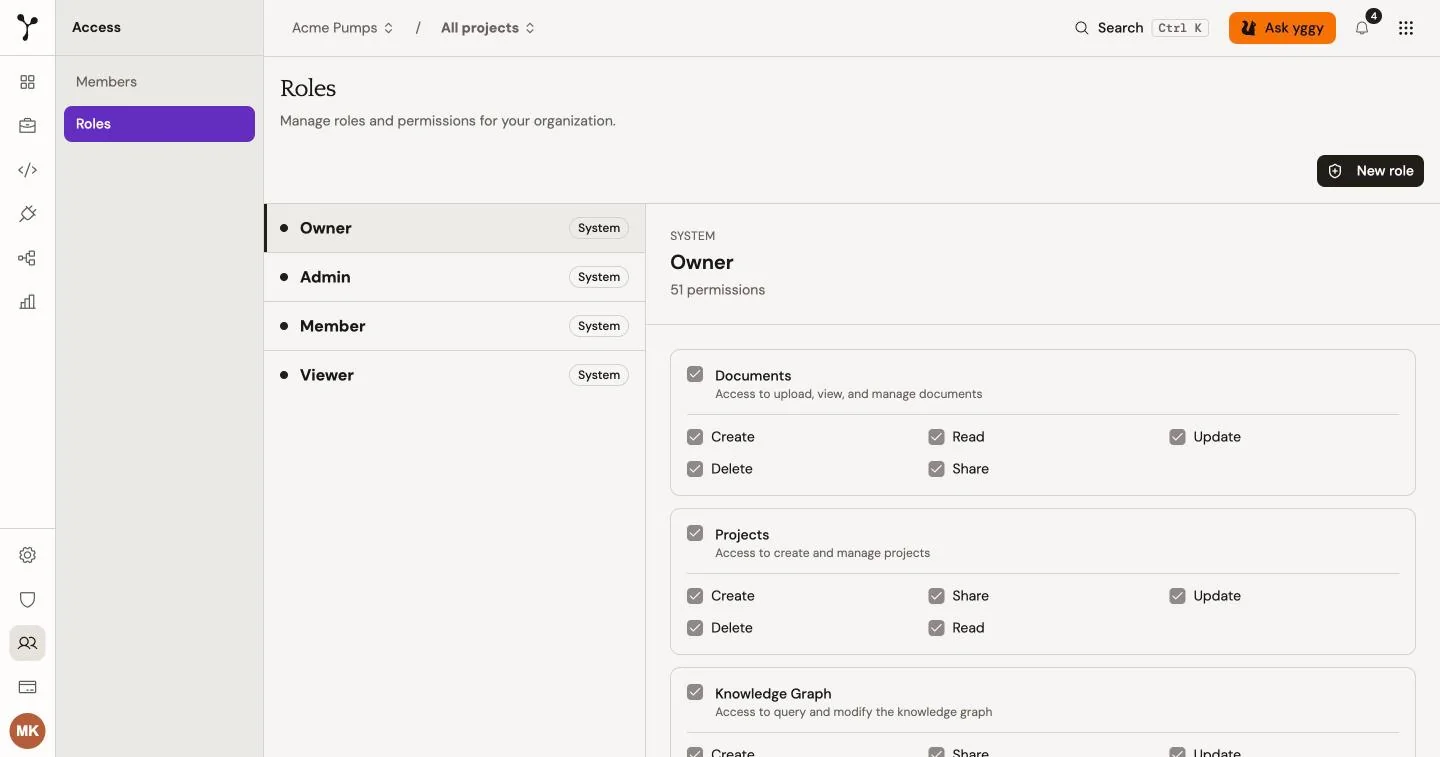
yggy also supports custom roles. Open Access → Roles to review the permission matrix and create a role for a narrower set of actions.
Project access
Section titled “Project access”Projects have their own Owner, Admin, Member, and Viewer roles.
- Project owners can manage all project content and settings.
- Project admins can manage content and update project settings, but cannot delete the project.
- Project members can add and update documents and graph data.
- Project viewers have read-only access.
Organization owners and admins have implicit admin access to every project. Other users need project membership. Manage it from the Members tab in project settings.
Remove a member
Section titled “Remove a member”Removing a member revokes their organization access. It does not delete documents or graph data that they created.