Providers
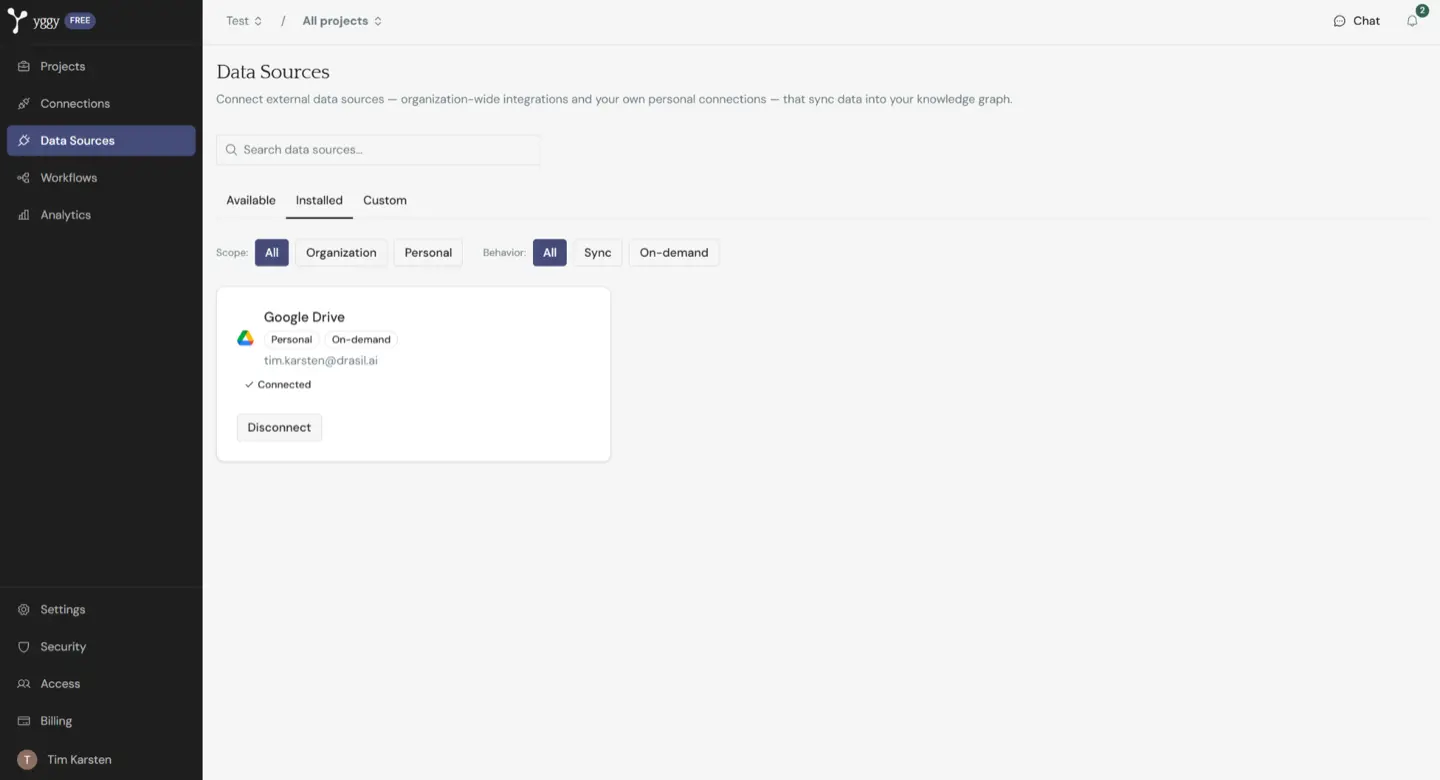
Open Data Sources for the live list. A provider appears only when its module and credentials are configured on this deployment. That catalog grows. Integrations has one page per type you are likely to see today.
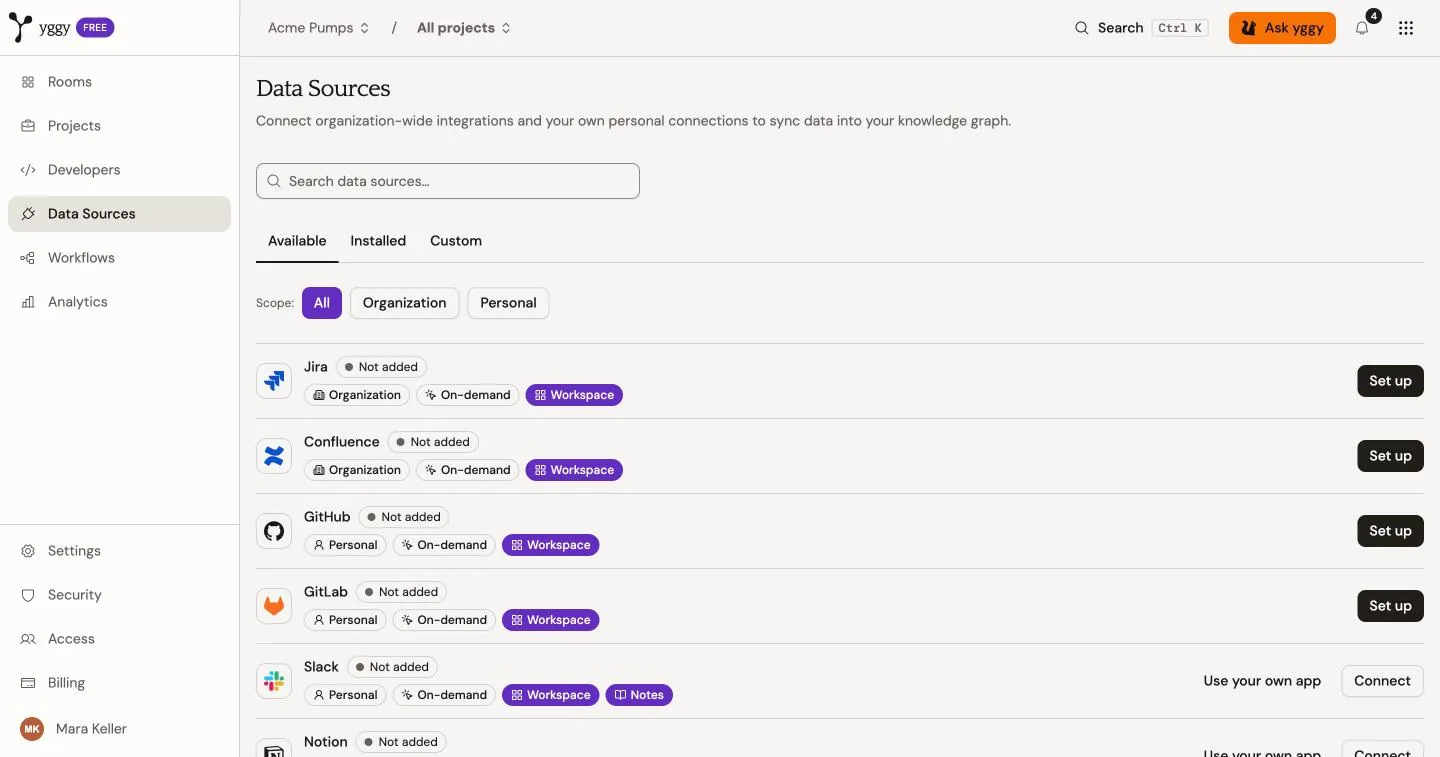
Jira, Confluence, GitHub, GitLab, and Webhook are coming soon. They carry a Coming soon label and cannot be connected yet, even where an older screenshot shows a Set up button.
What you might see today
Section titled “What you might see today”Integrations has one card and a connect sample per current type: what it is for, user or organization scope, where you use it, and a link to the original product.
Examples:
- Drives such as Google Drive or OneDrive / SharePoint: browse and import selected files.
- Mail such as Gmail or Outlook: import selected messages, with their attachments as linked documents.
- Chat and pages such as Slack or Notion: import daily channel transcripts and shared files, or selected pages.
- Google Calendar: read-only calendar access. Events are not imported yet.
- Work management such as Linear: connect the workspace to register signed webhooks, or connect your own account to import issues on demand. The workspace connection does not import issues into the graph yet.
User-scoped rows stay with the person who connected them. Organization-scoped rows belong to the workspace.
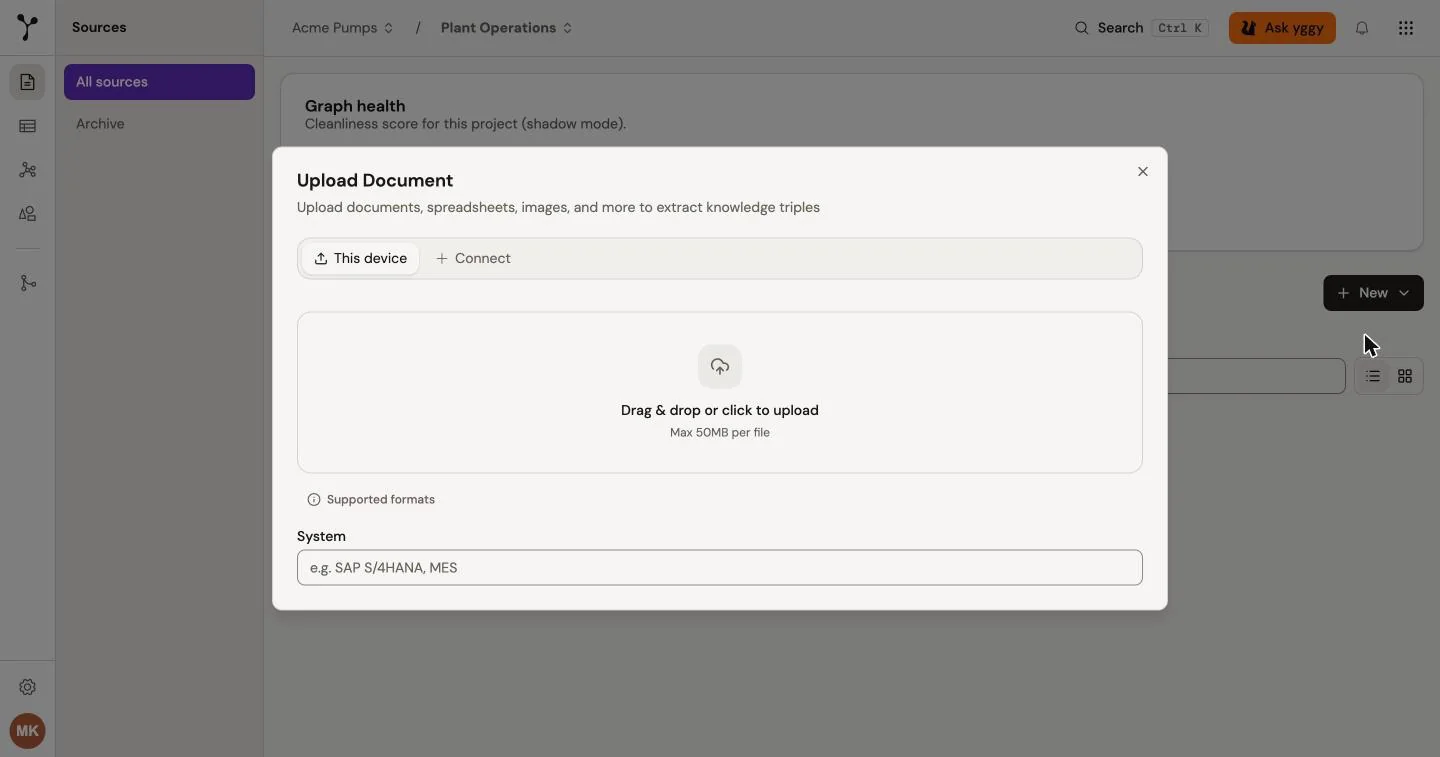
Each card shows where you can use the connection. Workspace means the upload dialog in yggy Workspace: open Sources → New → Upload file and choose the connection. Notes means yggy Notes, where you connect under Settings → Connections and attach with Attach from connections. Google Drive, OneDrive / SharePoint, Gmail, Outlook, Slack, and Notion work in both. Linear and Google Calendar are Workspace only.
Connect a source
Section titled “Connect a source”- Open the Available tab.
- Select a provider from the current list.
- Complete OAuth, or enter the provider configuration.
- Use the Installed tab to review connected sources.
The Installed tab can filter by organization or user scope and by sync or on-demand behaviour.
Worked examples
Section titled “Worked examples”These pages walk through providers that exist today. Treat them as patterns, not as the full catalog:
- Provider OAuth: consent flow, availability, and reconnect.
- Linear: workspace webhooks and personal issue import.
Disconnect
Section titled “Disconnect”Disconnecting removes the provider connection and its stored credentials. It does not remove documents or graph records that were imported earlier.