
Mappings
A mapping describes how fields in structured content become entities, predicates, objects, and optional metadata.
When a mapping appears
Section titled “When a mapping appears”yggy detects structured regions such as tables and code blocks during extraction. When the document uses structured extraction — including a Mixed extract that also read prose — its detail page includes a Mapping tab.
Free-form documents that used only Text extraction do not show this tab.
Read a mapping
Section titled “Read a mapping”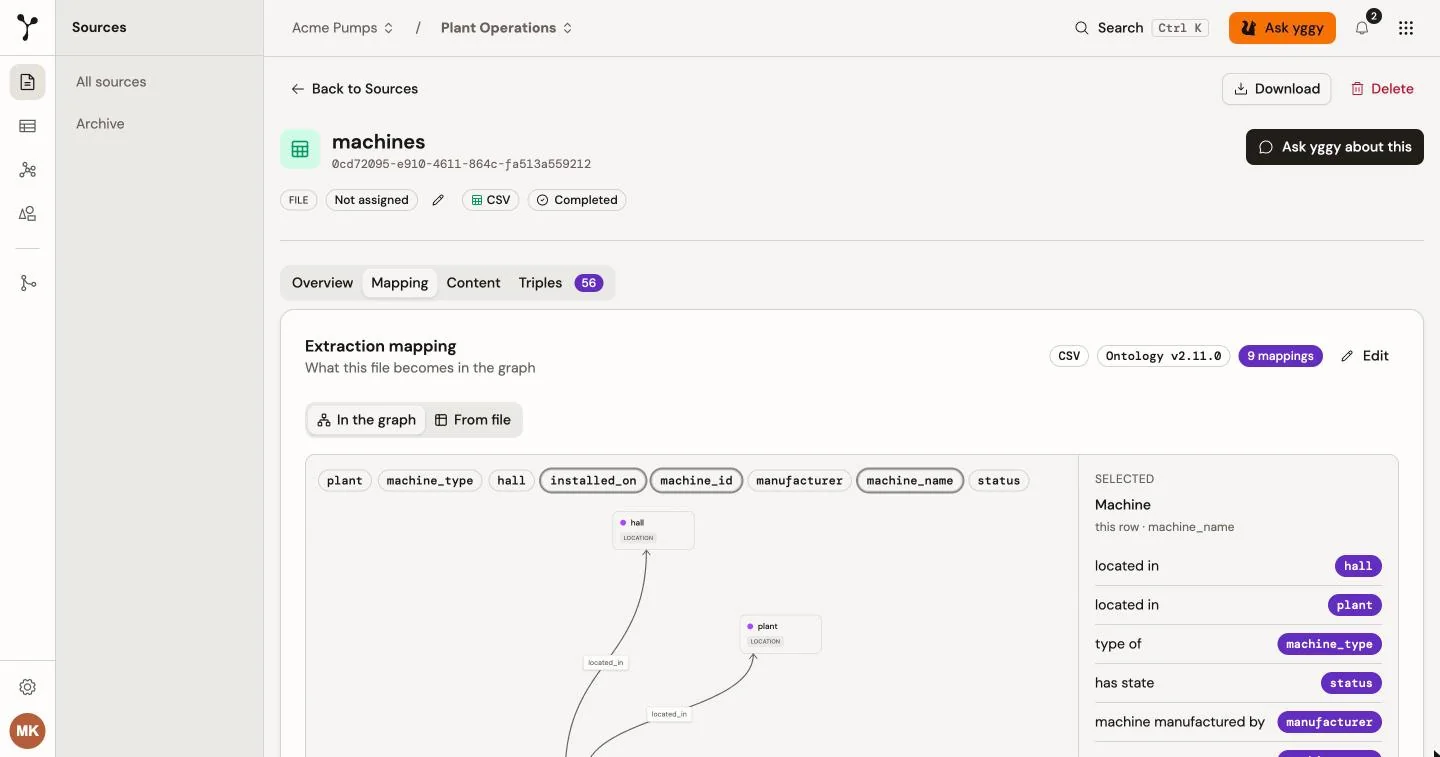
The Mapping tab can show the mapping as a graph (In the graph) or as a compact list (From file). It includes:
- the source field used for the subject;
- each entity relation or literal property and its source field;
- identity fields used to resolve repeated records;
- optional metadata such as validity dates; and
- source fields that the mapping does not use.
A file can contain several logical documents. Select one to inspect its mapping.
Example: machines.csv can identify machine as the core entity, treat plant, hall, and manufacturer as related entities, and use machine_id as the identifier of each machine. Relations such as located_in connect those entities. Switch to From file when you want the same mapping as a list.
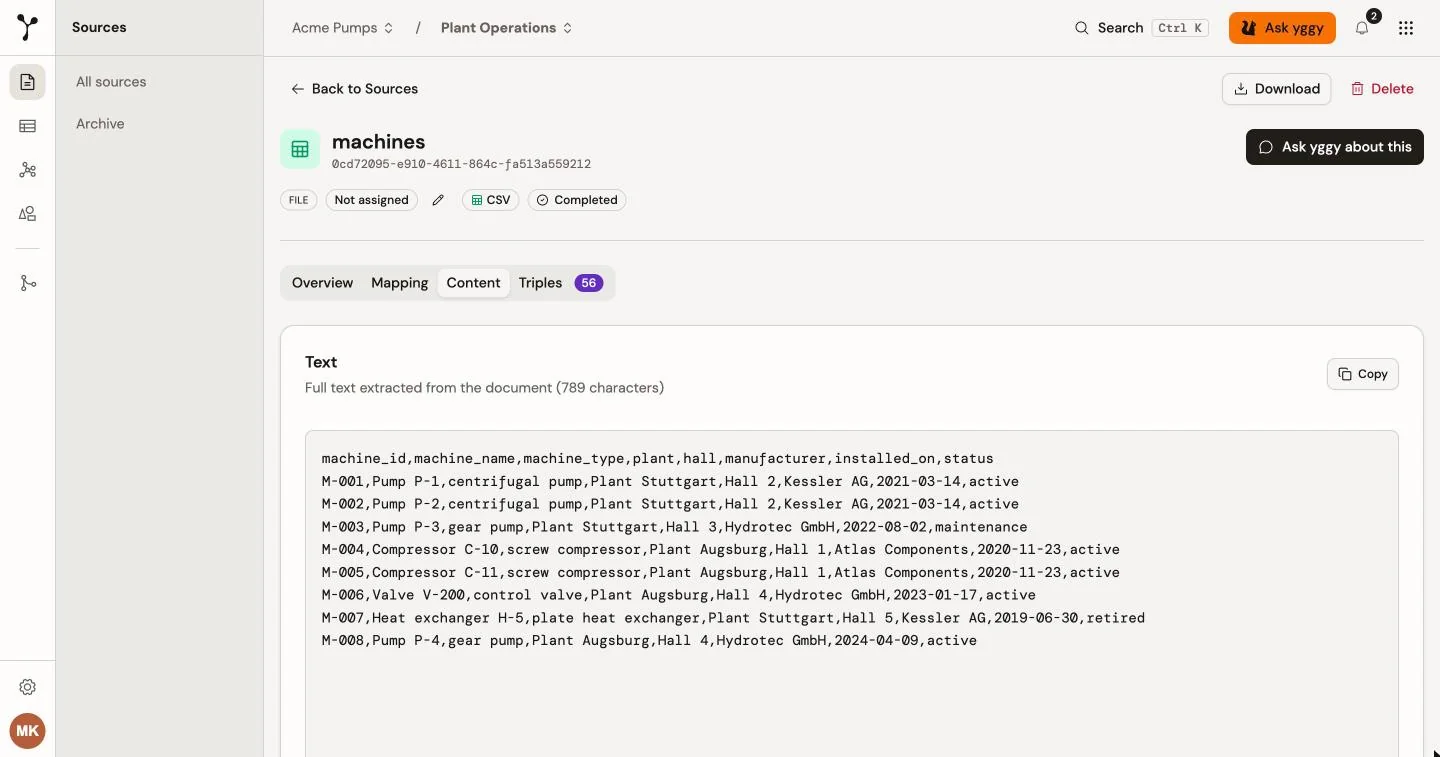
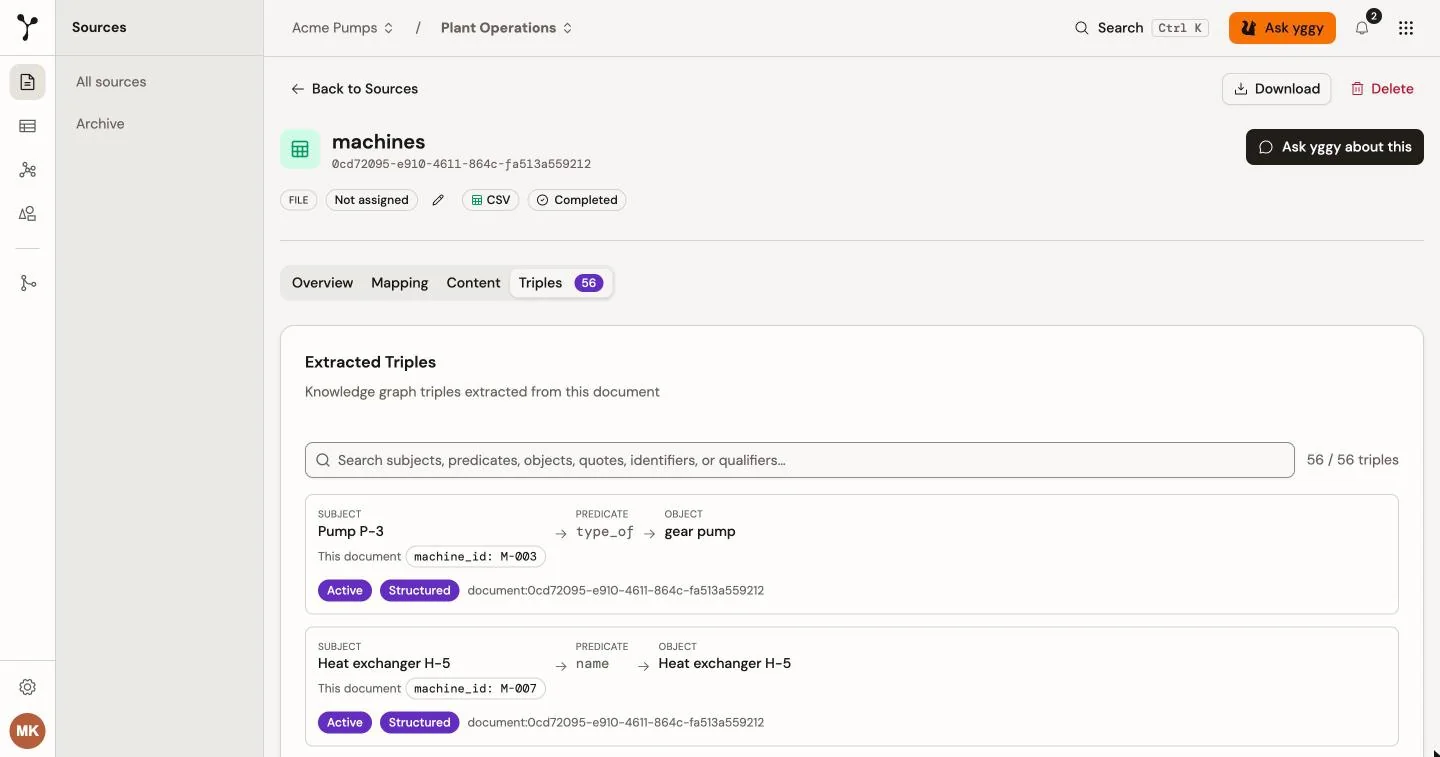
The Content tab shows the extracted table or text. Triples lists the facts written from that source, each with its supporting quote when one was stored.
Edit and apply
Section titled “Edit and apply”Select Edit on the mapping to change field sources, literal values, templates, predicates, and metadata. Save the mapping, then start re-extraction when prompted.
The mapping belongs to that extracted document. There is no separate Documents → Mappings library in the current UI.
Every source field is preserved. A mapping promotes fields with stable meaning into entity relations or typed literal properties. Other fields remain visible as source attributes. yggy does not invent a global ontology property from each source column.
How yggy uses source fields
Section titled “How yggy uses source fields”For each field, yggy chooses the most precise available use:
- Entity or relation: The field identifies an entity or connects two entities.
- Literal property: The field describes an entity with a typed value such as a name, date, number, or state.
- Identity: The field distinguishes records that might otherwise look like the same entity.
- Source attribute: The field has no suitable shared graph meaning, so yggy keeps its original name and value with the source record.
An identifier belongs only to the entity selected by its mapping. yggy does not attach every ID-shaped column to the row subject. For example, in component part_of M-001, M-001 identifies the machine endpoint. It is not an identifier of the component.
A native source field is never silently discarded. If it does not appear in a graph mapping, it remains available as a source attribute. The complete original record is also retained, including fields that were promoted into graph facts.
The only exception is context that yggy adds while parsing a nested document, such as a repeated parent identifier. yggy can omit this generated context when another field already provides the required connection. This does not remove a field that existed in the uploaded source.
Example
Section titled “Example”Consider this source row from a service system:
case_id | error_code | opened_at | symptom | internal_note |
|---|---|---|---|---|
SR-1093 | E417 | 2025-11-18T13:20:00Z | Pump loses pressure | Imported from archive A7 |
yggy can use the fields as follows:
| Source field | Result |
|---|---|
case_id | Identifies the service-case entity. |
error_code | Becomes the typed code property. |
opened_at | Becomes the typed occurred_at date property. |
symptom | Creates a has_symptom relation. |
internal_note | Remains a source attribute because it has no suitable shared graph property. |
The graph receives the stable facts, while internal_note: Imported from archive A7 remains available on the source record. No field disappears, and yggy does not create a vague relation only to force the note into the graph.
For example, a service-case source can produce these mappings:
| Source field | Mapping |
|---|---|
error_code | code literal |
opened_at | occurred_at literal |
installed_at | installed_at literal |
recurrence.occurred | recurs literal |
recurrence.date | recurred_at literal |
symptoms | has_symptom relation |
source_record_id | Preserved source attribute |
A short code or state is not a description. A generic relation such as has is also rejected because it does not give a stable meaning to the connected entity.