
Find your way around
yggy has two chrome layouts. Organization pages manage the workspace. Project pages work with one project’s sources and graph.
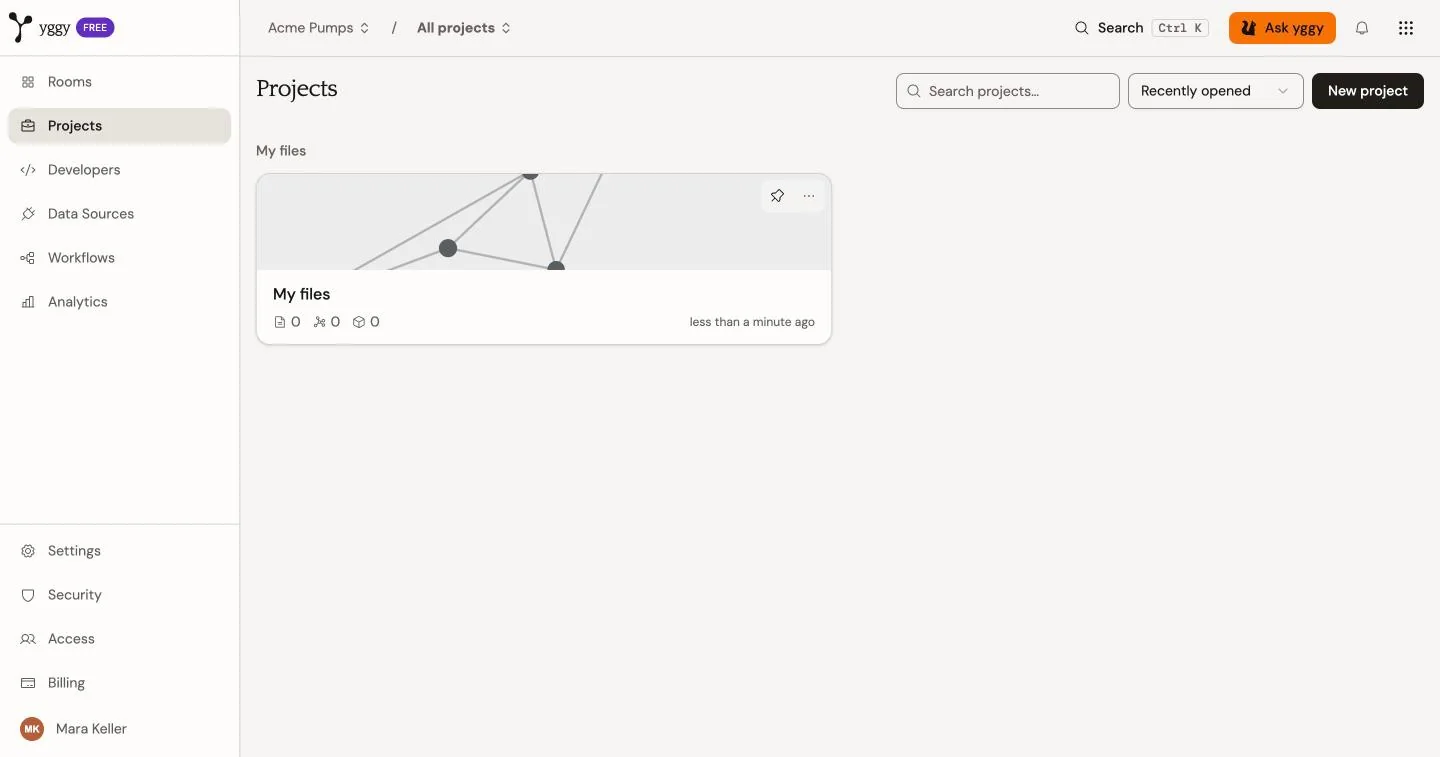
Organization sidebar
Section titled “Organization sidebar”The items at the top are the working surfaces:
| Item | Use it to |
|---|---|
| Rooms | Work on questions that span projects. A new organization opens here. See Rooms. |
| Projects | Create projects and open one. |
| Developers | Make a first API call, create API keys and connect MCP clients. See Integrations. |
| Data Sources | Connect a provider from the live list. See Integrations. |
| Workflows | Inspect document processing across the organization. |
| Analytics | Review usage and graph growth. |
The items at the bottom are administration:
| Item | Use it to |
|---|---|
| Settings | Organization domains, inference, graph types, and danger actions. |
| Security | SSO, API access, audit log, and policies. |
| Access | Members and roles. |
| Billing | Plan, usage, and invoices. |
Select your name at the bottom of the sidebar to open Profile, switch theme, open these docs or help, switch account, or sign out.
Top bar
Section titled “Top bar”The top bar stays in view on both layouts.
- The organization name opens a menu to switch organization or create one.
- The project name opens a menu to switch project, choose All projects, or create a project.
- Ask yggy opens the Chat workspace for the selected project.
- The bell shows notifications that need attention.
Project sidebar
Section titled “Project sidebar”Open a project to switch the left navigation to project work. The yggy mark in the top-left corner returns you to the organization Projects list.
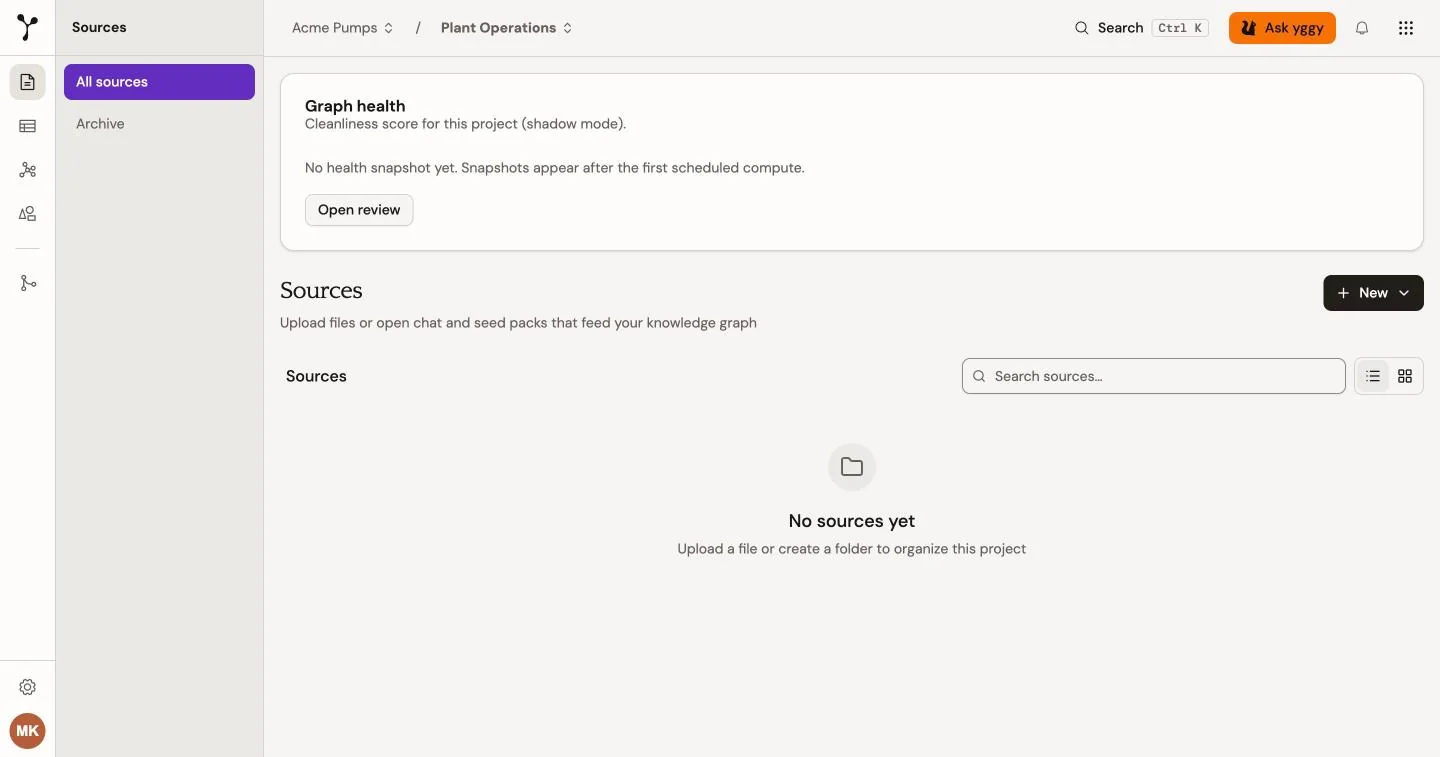
| Item | Use it to |
|---|---|
| Sources | Upload files, inspect extraction, and open the archive. |
| Data Explorer | Search entities, triples, and documents in tables. |
| Graph | Traverse the visual graph. |
| Ontology | Inspect classes, relations, data properties, identities, and proposals. |
| Review | Resolve entity merges, contradictions, and ontology proposals. |
| Project settings | Rename the project, add extraction guidance, and manage project members. |
A new project opens on Sources. Upload from there, then use Graph, Ontology, Review, and Chat on the same project.