
Extraction status
The document list and detail page show the current extraction state.
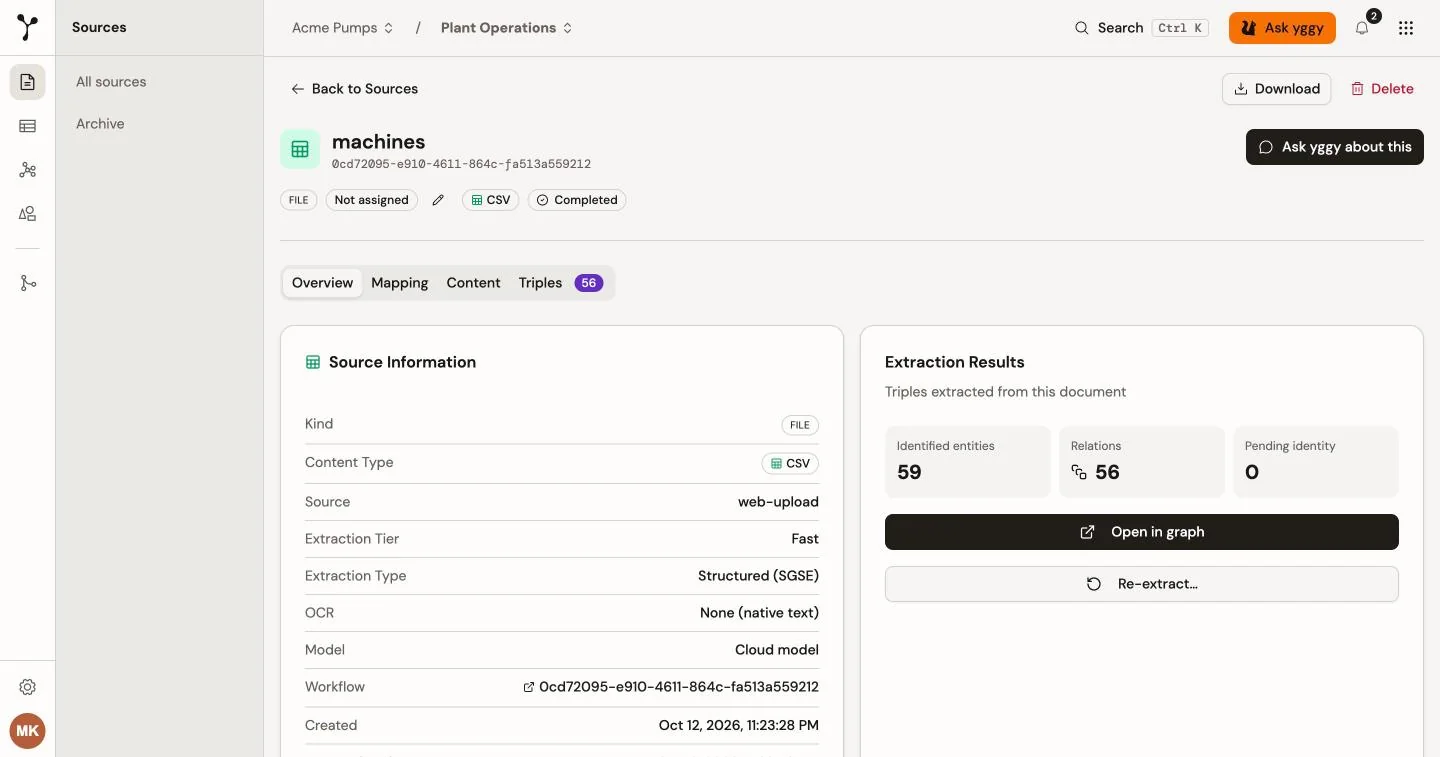
Document states
Section titled “Document states”| State | Meaning | Available action |
|---|---|---|
| Pending | The document is queued. | Cancel |
| Processing | Extraction is running. | Cancel |
| Completed | The pipeline finished. Any extracted content and graph data are ready to inspect. | Re-extract |
| Failed | Processing stopped with an error. | Retry |
A workflow can also be paused or cancelled. A paused workflow can be resumed.
Document detail
Section titled “Document detail”Open a source from Sources to use these tabs:
- Overview shows file metadata, extraction details, the result count, and any error. The extraction method is Structured (SGSE), Text extraction, Mixed, or Manual. yggy chooses Structured, Text, or Mixed from the file. See Extraction.
- How it was processed, below the cards on Overview, shows the parser, OCR, structure detection, ontology, and model steps that were used, skipped, or replaced.
- Mapping appears for structured extraction, including a Mixed document. It shows how source fields map to graph relationships.
- Content shows the extracted text and detected structured regions.
- Triples shows the extracted subject–predicate–object facts. You can search the list and review the supporting quote, source, extraction method, and available qualifiers.
The detail-page actions also let you refresh, download the original file, cancel or resume active work, retry a failure, and archive the document.
A completed document can still need attention. Overview shows Completed with issues when a logical record set was not mapped or a mapping produced no graph data. Open Content, then open Show details to see the affected name and record count. Facts from successfully mapped parts remain available.
For example, firmware_history.json can contain a mapped machine list and an unmapped nested firmware_history collection. The document completes because the pipeline finished, but Content reports that the firmware records produced no graph data. Correct the mapping and re-extract the document.
A completed document can also have no triples. Check How it was processed and Content when the result count is zero. A low-confidence structured area can be skipped and produce no graph data even when the workflow completes.
Re-extract a document
Section titled “Re-extract a document”Use Re-extract triples on the Overview tab after you change a structured mapping or when you want to run extraction again. Re-extraction replaces the document’s current extracted triples; it is not a version-history view. When the mapping, vocabulary, and file still match, yggy can reuse the mapping instead of designing a new one.